Game guide
Bob the Robber 2 Unblocked: Controls, Tips and Strategy
Bob the Robber 2 guide: stealth, timing and puzzle-solving tips for sneaking through guarded levels.
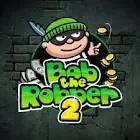
Help Bob the robber pull off daring heists and solve challenging puzzles!
This Bob the Robber 2 Classroom 8x page explains how to play Bob the Robber 2 HTML5 in a normal browser tab, with nothing to download. Students often search for Bob the Robber 2 unblocked because the game is light enough for a school Chromebook, although whether it opens depends on your school's network rules.
Play Bob the Robber 2- GenrePuzzle, Adventure
- PlayersSingle player
- Works onModern desktop and mobile browsers, no download
Game Overview
Bob the Robber 2 is a stealth puzzle game in which you guide a thief through levels containing guards, cameras and locked doors. The aim is to reach the goal without being seen, and each level is a small puzzle about timing and order. You move when the coast is clear, use distractions or hiding places and sometimes collect an item before moving on. The humour and cartoon style keep the mood light, while the puzzles reward careful observation.
How to Play & Controls
- Keyboard and Mouse: Use the arrow keys or WASD to move and a key or click to interact with items and doors.
- Good to know: Instructions normally appear at the start of each level, so watch for new mechanics.
Gameplay Tips & High-Score Strategies
- Watch the guards for a full cycle before you move. Their pattern shows when it is safe.
- Look for hiding spots or objects you can use to block sight lines.
- Do not rush. A calm approach is usually quicker than a failed dash.
- Check the level for switches, keys or items before heading to the exit.
Break each level into short moves between safe positions. Plan which spot you will use next while you wait. If an approach fails, think about what the failure revealed, such as a guard's range of view, and use that knowledge. Many levels have a single intended order of actions, so keep trying different sequences. Take your time and enjoy the puzzle instead of focusing only on the exit.
Bob the Robber 2 Unblocked FAQ
Can I play Bob the Robber 2 unblocked on a school Chromebook?
Bob the Robber 2 is an HTML5 game, so it runs inside the browser on a Chromebook, laptop, tablet or phone with nothing to install. Whether the Classroom8x page opens depends on your school's network settings, and this site does not offer ways around a filter. If it loads for you, you can play Bob the Robber 2 on Classroom 8x in an ordinary tab. If it does not, ask a teacher or your IT team, and save games for free time.
Is progress saved automatically in Bob the Robber 2?
Saving is handled by the game itself, not by Classroom8x. Some browser games remember settings or best scores in local storage, while others simply start fresh each time. If Bob the Robber 2 shows a best score or a save option, it stays in this browser only and is lost if you clear site data or switch to another device.
Who will enjoy it
A fun pick for puzzle fans who like a light stealth theme. Levels are short, and it supports logical thinking and patience.
About this guide. Bob the Robber 2 is created by its own developers and is not made by Classroom8x. Controls and features can differ between versions, so always check the in-game instructions. This guide is our own writing, based on how this type of game generally works. See our editorial policy, or contact us if you spot a mistake.
Similar games
 Ice DodoGuide the ice dodo through frozen landscapes and complete tricky puzzles!
 Duo Survival 3Work together, solve puzzles, and survive every level.
 Level DevilConquer fiery levels in this challenging platformer.