Game guide
Death Run 3D Unblocked: Controls, Tips and Strategy
Death Run 3D guide: tips for dodging obstacles in the neon tunnel, staying calm at speed and lasting longer on every run.
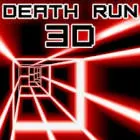
Run through a deadly neon tunnel and dodge obstacles at high speed!
This Death Run 3D Classroom 8x page explains how to play Death Run 3D HTML5 in a normal browser tab, with nothing to download. Students often search for Death Run 3D unblocked because the game is light enough for a school Chromebook, although whether it opens depends on your school's network rules.
Play Death Run 3D- GenreAction, Arcade
- PlayersSingle player
- Works onModern desktop and mobile browsers, no download
Game Overview
Death Run 3D is a fast, first-person-style runner through a neon tunnel full of obstacles. The tunnel moves quickly, and walls, barriers and gaps approach in patterns that demand fast reactions. The game is stripped down to a single objective, which is to stay alive for as long as possible. The bright visuals and increasing speed give a sense of intensity, but the underlying rules are simple: move left or right to find the gap and keep doing that without hesitation. Because runs are brief, you can quickly iterate and learn.
How to Play & Controls
- Keyboard, Mouse and Touch: Steer with the left and right arrow keys or A and D, with mouse or touch variants on some platforms.
- Good to know: Some versions include jump or slide controls, so read any on-screen prompt.
Gameplay Tips & High-Score Strategies
- Look at the far end of the tunnel. Obstacles are much easier to dodge when you can see them early.
- Use small movements. Large swings take longer to complete and may put you into another obstacle.
- Do not stare at the character. Keep your eyes where the next gap will be.
- If you feel overwhelmed, slow down your hand movements instead of speeding them up.
At speed, anticipation beats reaction. Learn the common patterns, such as alternating walls, then position yourself in advance. Try to stay close to the centre where both sides are accessible. When the pace increases, simplify your behaviour: fewer, cleaner inputs. After a crash, notice whether it came from a late reaction or an over-correction, and adjust that one habit. Take a break if you notice your reactions slowing.
Death Run 3D Unblocked FAQ
Can I play Death Run 3D unblocked on a school Chromebook?
Death Run 3D is an HTML5 game, so it runs inside the browser on a Chromebook, laptop, tablet or phone with nothing to install. Whether the Classroom8x page opens depends on your school's network settings, and this site does not offer ways around a filter. If it loads for you, you can play Death Run 3D on Classroom 8x in an ordinary tab. If it does not, ask a teacher or your IT team, and save games for free time.
Is progress saved automatically in Death Run 3D?
Saving is handled by the game itself, not by Classroom8x. Some browser games remember settings or best scores in local storage, while others simply start fresh each time. If Death Run 3D shows a best score or a save option, it stays in this browser only and is lost if you clear site data or switch to another device.
Who will enjoy it
For players who enjoy short, intense runs and personal records. It is a decent test of focus and reaction time, though the neon visuals and speed may not suit everyone, so pause if you feel uncomfortable.
About this guide. Death Run 3D is created by its own developers and is not made by Classroom8x. Controls and features can differ between versions, so always check the in-game instructions. This guide is our own writing, based on how this type of game generally works. See our editorial policy, or contact us if you spot a mistake.
Similar games
 Slope 3Roll down the slope at high speed and try to survive as long as possible.
 Space WavesFight through waves of enemies in this space shooter.
 Poly TrackNavigate the challenging track in this precision racing game!