Game guide
Johnny Trigger Unblocked: Controls, Tips and Strategy
Johnny Trigger guide: aim timing, cover use and tips for completing stylish shooting levels with limited bullets.
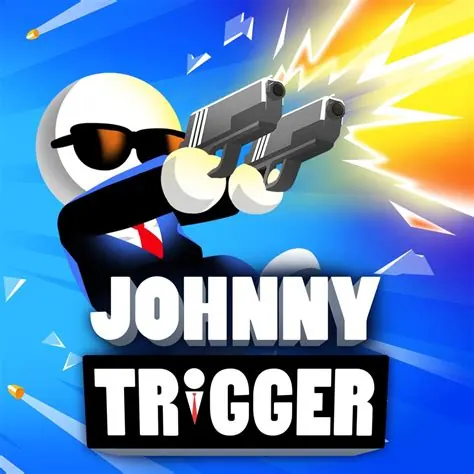
Take out enemies with precise sharpshooter moves.
This Johnny Trigger Classroom 8x page explains how to play Johnny Trigger HTML5 in a normal browser tab, with nothing to download. Students often search for Johnny Trigger unblocked because the game is light enough for a school Chromebook, although whether it opens depends on your school's network rules.
Play Johnny Trigger- GenreShooter, Action
- PlayersSingle player
- Works onModern desktop and mobile browsers, no download
Game Overview
Johnny Trigger is an action shooter in which your character moves automatically through a level while you take aim and eliminate enemies. The movement often includes flips or slides, so your shots must be timed to the motion of the character. Instead of constant firing, you succeed by making each shot count. The levels are short, with clear visual rules, and failing usually means you mistimed a shot or let an enemy reach you. The stylised action is similar to a short puzzle where the solution is the order and timing of your shots.
How to Play & Controls
- Keyboard, Mouse and Touch: Typically you tap or click to shoot and sometimes press a second control to jump or aim.
- Good to know: The character moves on its own, so keep your attention on timing.
- Good to know: Instructions appear during the first stage.
Gameplay Tips & High-Score Strategies
- Shoot enemies that are about to attack first. Dangerous targets take priority over easy ones.
- Do not spray bullets. Wait for the aim to settle before firing.
- Use the character's movement to line up shots instead of fighting it.
- If an enemy is behind cover, wait for them to expose themselves.
Study the level before the first shot. Identify the order in which enemies will appear and which ones can hurt you the most. Because movement is automatic, your choices are about timing, so try to use the same rhythm each time. When you repeat a level, make a small change to your approach and note whether it helps. Accuracy is better than speed.
Johnny Trigger Unblocked FAQ
Can I play Johnny Trigger unblocked on a school Chromebook?
Johnny Trigger is an HTML5 game, so it runs inside the browser on a Chromebook, laptop, tablet or phone with nothing to install. Whether the Classroom8x page opens depends on your school's network settings, and this site does not offer ways around a filter. If it loads for you, you can play Johnny Trigger on Classroom 8x in an ordinary tab. If it does not, ask a teacher or your IT team, and save games for free time.
Is progress saved automatically in Johnny Trigger?
Saving is handled by the game itself, not by Classroom8x. Some browser games remember settings or best scores in local storage, while others simply start fresh each time. If Johnny Trigger shows a best score or a save option, it stays in this browser only and is lost if you clear site data or switch to another device.
Who will enjoy it
Fine for older players who like a short shooting challenge. Levels are brief and it is a decent test of timing and quick decisions.
About this guide. Johnny Trigger is created by its own developers and is not made by Classroom8x. Controls and features can differ between versions, so always check the in-game instructions. This guide is our own writing, based on how this type of game generally works. See our editorial policy, or contact us if you spot a mistake.
Similar games
 Funny Shooter 2Jump into goofy action with fast reflexes and wild shooting fun.
 Pixel ShooterBlast through pixel enemies in this arcade shooter.
 Rooftop SnipersSnipe opponents from rooftops in this fun physics-based shooter.