Game guide
Snow Rider Unblocked: Controls, Tips and Strategy
Snow Rider guide: sled control, obstacle reading and tips for riding further down the snowy slope.
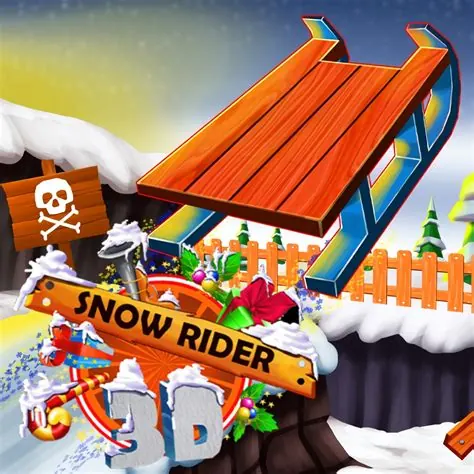
Ride through snowy tracks and dodge obstacles in this icy racer.
This Snow Rider Classroom 8x page explains how to play Snow Rider HTML5 in a normal browser tab, with nothing to download. Students often search for Snow Rider unblocked because the game is light enough for a school Chromebook, although whether it opens depends on your school's network rules.
Play Snow Rider- GenreRacing, Arcade
- PlayersSingle player
- Works onModern desktop and mobile browsers, no download
Game Overview
Snow Rider is a downhill sledding game in which you steer along a snowy track while avoiding trees, rocks and other obstacles. The slope moves faster as you progress, so the main difficulty is staying composed while the scene becomes busy. Controls are simple, but sharp turns slow you down or cause crashes. Collecting items along the way is optional but adds to the challenge, since it can pull you toward dangerous areas. It is a clear example of an endless runner with a winter theme.
How to Play & Controls
- Keyboard, Mouse and Touch: Steer left and right with the arrow keys or A and D, with touch or mouse support in some versions.
- Good to know: The sled accelerates automatically.
Gameplay Tips & High-Score Strategies
- Make gentle moves. Sharp turns can lose speed or cause a spin.
- Look ahead and move early. Obstacles are easier to avoid when you start turning before they are close.
- Choose the safest path through clusters instead of trying to weave through every gap.
- Skip risky collectibles when they lead you toward obstacles.
Reading the track is the main skill. Learn how far ahead you need to begin steering at each speed. When the track becomes crowded, move toward the widest open area and stay there instead of oscillating. Use short, rhythmic inputs to make small corrections. After a crash, pay attention to what you were doing just before it, since many crashes follow the same mistake.
Snow Rider Unblocked FAQ
Can I play Snow Rider unblocked on a school Chromebook?
Snow Rider is an HTML5 game, so it runs inside the browser on a Chromebook, laptop, tablet or phone with nothing to install. Whether the Classroom8x page opens depends on your school's network settings, and this site does not offer ways around a filter. If it loads for you, you can play Snow Rider on Classroom 8x in an ordinary tab. If it does not, ask a teacher or your IT team, and save games for free time.
Is progress saved automatically in Snow Rider?
Saving is handled by the game itself, not by Classroom8x. Some browser games remember settings or best scores in local storage, while others simply start fresh each time. If Snow Rider shows a best score or a save option, it stays in this browser only and is lost if you clear site data or switch to another device.
Who will enjoy it
Snow Rider appeals to players who like quick, simple runs and light seasonal visuals. It fits a short break and trains steering control and anticipation.
About this guide. Snow Rider is created by its own developers and is not made by Classroom8x. Controls and features can differ between versions, so always check the in-game instructions. This guide is our own writing, based on how this type of game generally works. See our editorial policy, or contact us if you spot a mistake.
Similar games
 Slope 3Roll down the slope at high speed and try to survive as long as possible.
 Slope 2Navigate the slope and avoid obstacles.
 Poly TrackNavigate the challenging track in this precision racing game!