Game guide
G Switch3 Unblocked: Controls, Tips and Strategy
G Switch 3 guide: gravity-flip timing tips for running along the ceiling and floor in this fast platform runner.
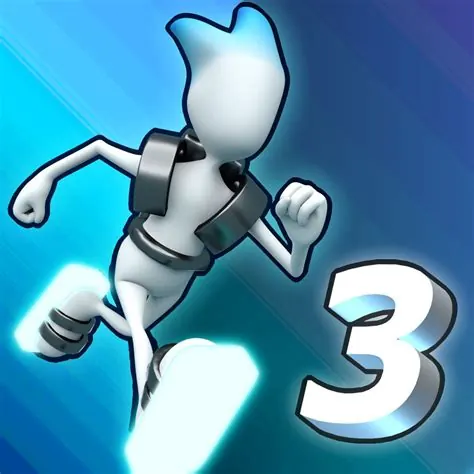
Flip gravity and race through the course in this fast platform challenge.
This G Switch3 Classroom 8x page explains how to play G Switch3 HTML5 in a normal browser tab, with nothing to download. Students often search for G Switch3 unblocked because the game is light enough for a school Chromebook, although whether it opens depends on your school's network rules.
Play G Switch3- GenrePlatformer, Arcade
- PlayersSingle player
- Works onModern desktop and mobile browsers, no download
Game Overview
G Switch 3 is a runner in which your character moves automatically and you flip gravity to switch between the floor and the ceiling. Obstacles appear on both surfaces, so your task is to decide at each moment which side is safe. The game is fast and rhythmic, and a single input is enough to play, but the combination of speed and reversal makes it surprisingly demanding. Short levels and clear patterns make it ideal for repeated attempts.
How to Play & Controls
- Keyboard, Mouse and Touch: Click, tap or press the space bar to flip gravity.
- Good to know: There are no other controls, so timing is everything.
Gameplay Tips & High-Score Strategies
- Switch as soon as you see a safe gap on the other side, not at the last moment.
- Keep your attention on the next obstacle instead of your character.
- Learn the music or rhythm if it matches the layout.
- Do not mash the button. A deliberate press at the right time is more accurate.
Learn the sequence of each level. After a few attempts you will remember where the switch points are, and your timing will be more consistent. In sections with rapid alternation, keep a steady count and tap on the beat. If a particular part keeps failing, practise it in isolation by repeating only that section. Take breaks to prevent fatigue, as reaction time drops when you are tired.
G Switch3 Unblocked FAQ
Can I play G Switch3 unblocked on a school Chromebook?
G Switch3 is an HTML5 game, so it runs inside the browser on a Chromebook, laptop, tablet or phone with nothing to install. Whether the Classroom8x page opens depends on your school's network settings, and this site does not offer ways around a filter. If it loads for you, you can play G Switch3 on Classroom 8x in an ordinary tab. If it does not, ask a teacher or your IT team, and save games for free time.
Is progress saved automatically in G Switch3?
Saving is handled by the game itself, not by Classroom8x. Some browser games remember settings or best scores in local storage, while others simply start fresh each time. If G Switch3 shows a best score or a save option, it stays in this browser only and is lost if you clear site data or switch to another device.
Who will enjoy it
Suited to players who like rhythm-style runners. Levels are brief and the single control makes it accessible.
About this guide. G Switch3 is created by its own developers and is not made by Classroom8x. Controls and features can differ between versions, so always check the in-game instructions. This guide is our own writing, based on how this type of game generally works. See our editorial policy, or contact us if you spot a mistake.
Similar games
 Geometry DashFast-paced rhythm platformer — jump and fly to the beat.
 Space WavesFight through waves of enemies in this space shooter.
 Death Run 3DRun through a deadly neon tunnel and dodge obstacles at high speed!