Game guide
Slow Roads Unblocked: Controls, Tips and Strategy
Slow Roads guide: relaxed driving tips, camera and settings advice for this endless, calm road game.
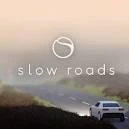
Cruise along an endless, procedurally generated road in a calm driving game with no timers and no pressure.
This Slow Roads Classroom 8x page explains how to play Slow Roads HTML5 in a normal browser tab, with nothing to download. Students often search for Slow Roads unblocked because the game is light enough for a school Chromebook, although whether it opens depends on your school's network rules.
Play Slow Roads- GenreRacing, Simulation, Casual, Endless
- PlayersSingle player
- Works onModern desktop and mobile browsers, no download
Game Overview
Slow Roads is a calm driving game about cruising along a road that never ends. The landscape, hills and bends are generated as you go, so each trip is different, and there are no opponents, scores or timers. The point is to relax and enjoy smooth driving, scenery and changing light and weather. It is an unusual game because it has no real fail state. You can drive carefully, take corners at speed or simply stop and look at the view, which makes it ideal for a quiet break.
How to Play & Controls
- Good to know: Use W and S or the up and down arrows to accelerate and brake, and A and D or the left and right arrows to steer.
- Mouse: After you click the begin button, check the menu for extra options such as camera, driving and graphics settings.
Gameplay Tips & High-Score Strategies
- Steer in small, smooth movements. Large, sudden turns make the car swing wide.
- Slow down before sharp bends and accelerate once the road straightens.
- If the game feels slow on your device, lower the graphics quality in the settings.
- Try different camera views to find the one that makes the road easiest to read.
Since there is no scoring, set your own challenges. Try to stay in your lane for a full minute, take every bend at a steady speed or reach the top of a long hill without braking. Look further down the road than the front of your car, which gives you time to adjust. Use gentle throttle control instead of holding the key down, because it makes the car much easier to keep stable. On a school laptop, lower the quality settings first, then raise them if the game stays smooth.
Slow Roads Unblocked FAQ
Can I play Slow Roads unblocked on a school Chromebook?
Slow Roads is an HTML5 game, so it runs inside the browser on a Chromebook, laptop, tablet or phone with nothing to install. Whether the Classroom8x page opens depends on your school's network settings, and this site does not offer ways around a filter. If it loads for you, you can play Slow Roads on Classroom 8x in an ordinary tab. If it does not, ask a teacher or your IT team, and save games for free time.
Is progress saved automatically in Slow Roads?
Saving is handled by the game itself, not by Classroom8x. Some browser games remember settings or best scores in local storage, while others simply start fresh each time. If Slow Roads shows a best score or a save option, it stays in this browser only and is lost if you clear site data or switch to another device.
Who will enjoy it
Ideal for players who want a quiet, low-pressure game. It suits short breaks and long sessions, and it is easy to learn for people who normally avoid racing games.
About this guide. Slow Roads is created by its own developers and is not made by Classroom8x. Controls and features can differ between versions, so always check the in-game instructions. This guide is our own writing, based on how this type of game generally works. See our editorial policy, or contact us if you spot a mistake.
Similar games
 Drift HuntersPerform epic drifts and compete in intense racing challenges!
 Mr RacerRace fast and furious in this intense racing game!
 TownscaperClick to place colorful blocks and watch a relaxing island town grow around you. There is no score and no way to lose.